
Tour
See BoardIt in action
First the booking board as your members use it, then the management screens in WordPress.
Screen 1/6
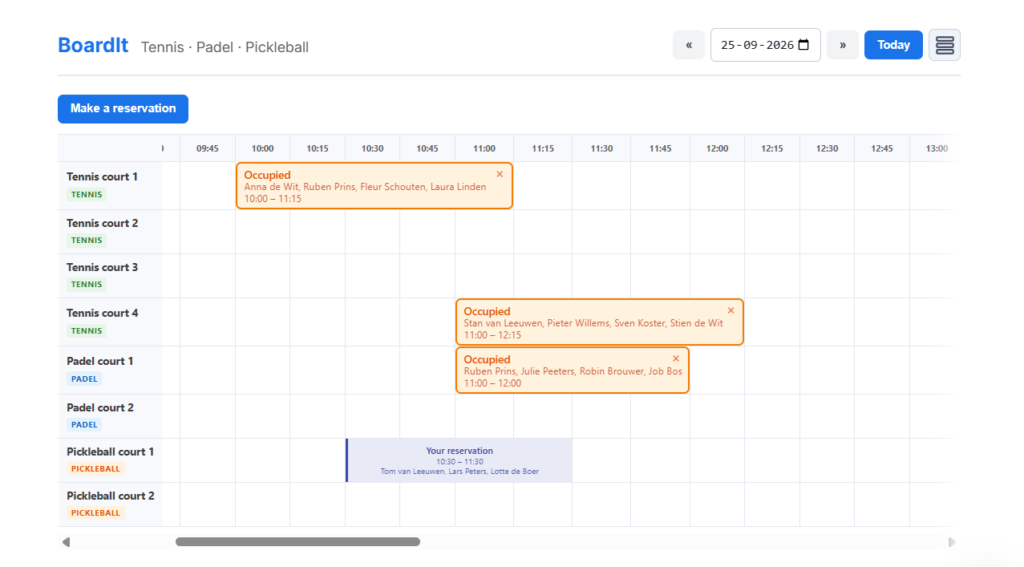
The booking board
All courts side by side. Members click a free slot, choose their playing partners and confirm. Their own bookings stand out, and they can drag them to another time or court.
Screen 2/6
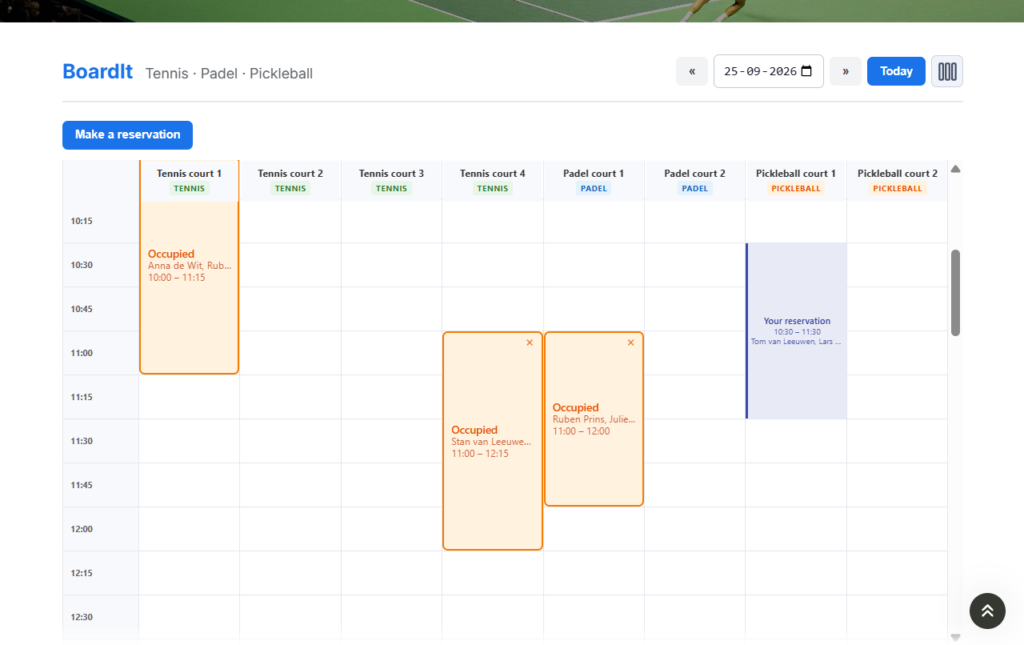
Vertical view
Prefer the courts in rows? Switch to the vertical view. On a phone the times stay in view while scrolling.
Screen 3/6
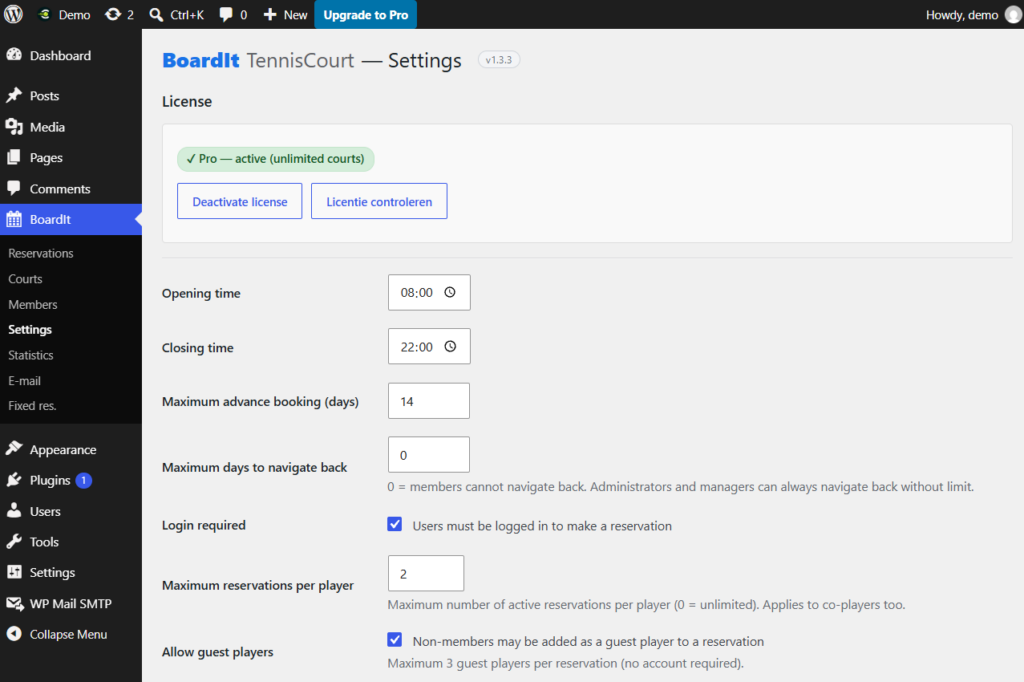
Settings
Opening hours, how many days ahead members may book, the maximum number of bookings per member and the colours of the board.
Screen 4/6
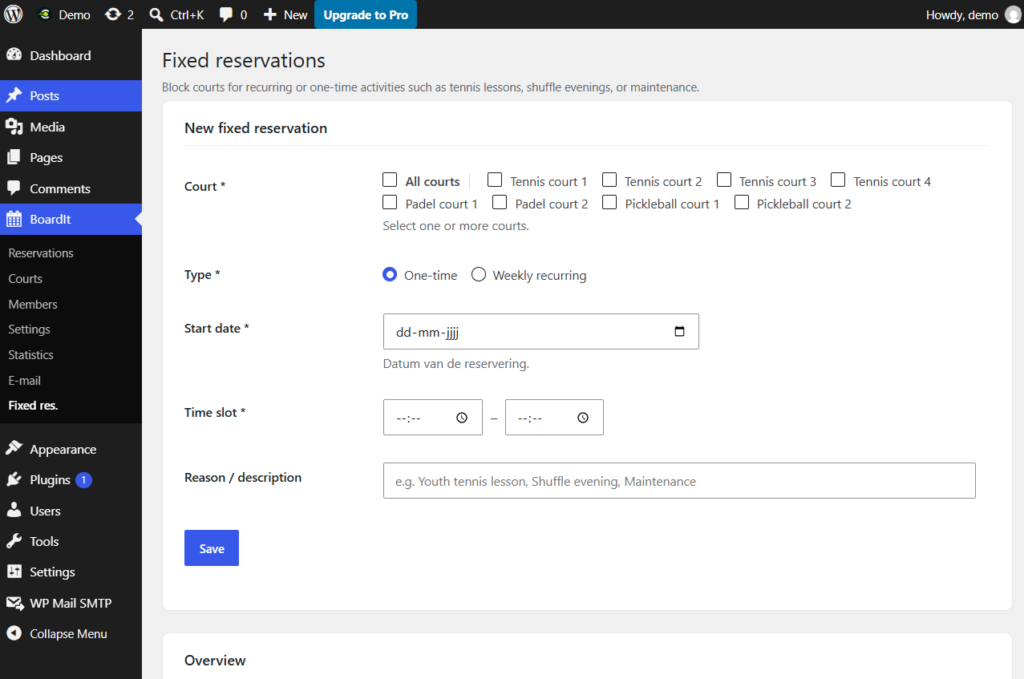
Recurring bookings (Pro)
Reserve courts once or every week for coaching, league matches or maintenance. Those times can no longer be booked by members.
Screen 5/6
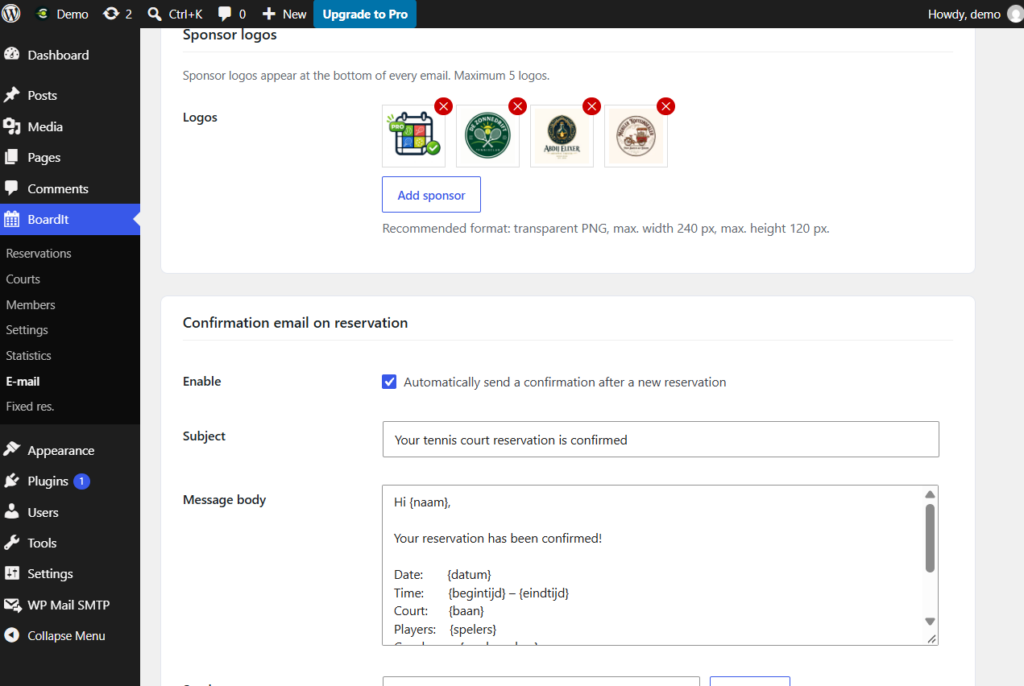
Email texts
Sender, subject and text of every email for bookings, moves and cancellations, with placeholders for names, court and time.
Screen 6/6
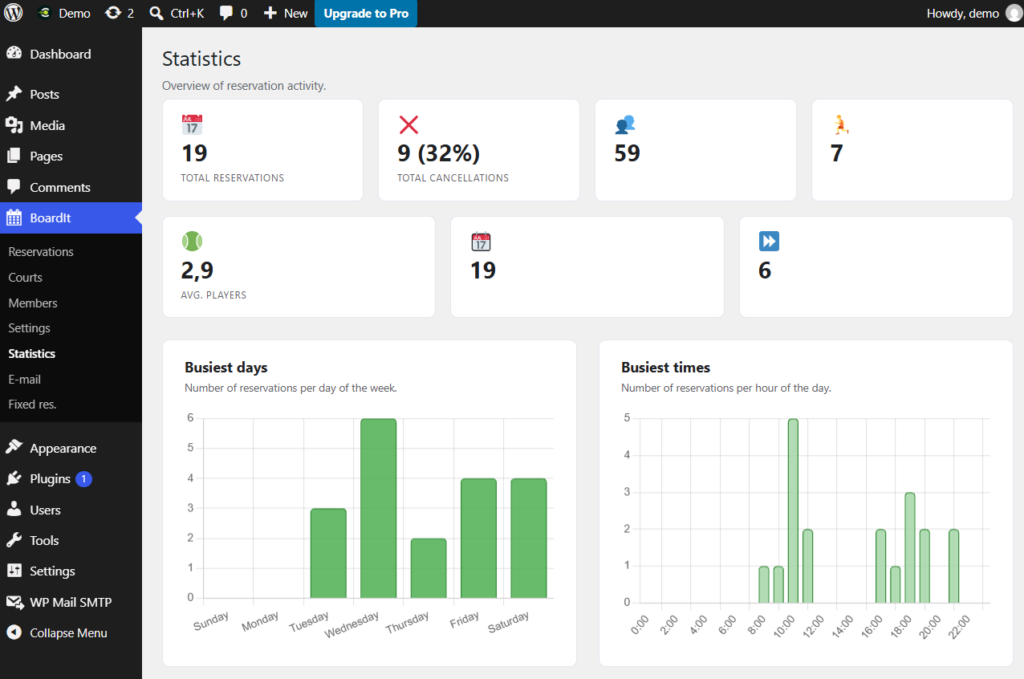
Statistics (Pro)
Busiest days and times, occupancy per court and the trend per month, so the committee knows how the courts are used.
Like what you see?
Install the free version and try BoardIt on your own club site.